Recently Microsoft held the Build conference for developers about all things development platform and of course AI featured high on the list of priorities. I always enjoy going through the sessions and the more time I spend watching MS Build sessions, the more amazed I am at the quality and depth of content that was presented at the conference. Every single session I watch adds some more to the picture and I wanted to share this list of 8+1 videos that I found great in case it would be useful for anyone looking for a good introduction path into the current (June 2023) state of the Microsoft AI toolset and approach. This is by no means official or exhaustive so take it as a personal recommendation. I’d love to hear if you find this useful or if you have other recommendations so please add your comments to the post here or on LinkedIn.
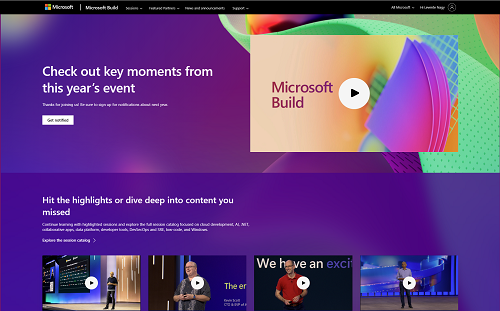
The Keynote
The opening keynote was essential in laying out the newest announcements and it also mentions other news form Build. Satya mentioned that there are about 50 announcements at Build and he could touch on 5 of them in the keynote. The most important pieces were adding Bing’s knowledge to Chat GPT, adding Copilot to the biggest canvas – Windows, the introduction of the Copilot Stack and the Microsoft AI Studio – our developer toolchain for developing AI solutions, including AI Safety. Finally, the announcement of Microsoft Fabric which is the new data and analytics platform being adjacent to and feeding into AI (there is no good AI without good data). Fabric deserves its own breakdown so I will focus on the application development aspects in this post.
The keynote for me was the most important in planting the thought that this is a generational shift in human-computer interaction and how we think of computers and their possibilities and how deeply Microsoft have thought about the platform implications of this. All the following recommendations will add a piece to this puzzle in a big way. In fact, I recommend re-watching the keynote after you have seen the other videos as they make the keynote much richer to watch again with all the underlying knowledge.
You can watch the keynote here: [Link]
The Era of Copilots
Kevin – the CTO and EVP for AI at Microsoft – went into greater detail on what the copilot paradigm means for software development and how we should think about the interaction with copilots. He also interviewed Greg Brockman from OpenAI on building ChatGPT. One of Kevin’s important points is that unless you are an infrastructure supplier, your product is not the AI model – you are to build AI enabled user experiences. He then showed the details of the copilot stack laying out what parts you need to think about if you want to build copilot scenarios.
Watch here: [Link]
The Future of Work
This was another foundational keynote on how copilots will impact the world of work through Office and Windows and other experiences and how you will be able to extend the Microsoft 365 copilot with your plugins. This session is important as injecting AI into the everyday information worker workflows will have the greatest impact on most end-users in the short run. In the second part, Panos explains Windows copilot. And this is one of the revolutionary thoughts: how AI will be the new paradigm of software interaction for end-users. How it will replace the UI loop in the operating system. At the end of the session (1:40:00 in) Steven Bathiche – Technical Fellow for Windows and Devices came on to talk about the future vision of “AI beside”, “AI inside” and “AI outside”.
Watch here: [Link]
AI in Collaboration: Extending the Microsoft 365 Copilot
Practical guidance and demos on how one can extend Teams experiences with natural language interactions and scenarios for good ways to plug into collaboration features. Also shows the path for current Teams developers who already have a message extension or other integrations.
Watch here: [Link]
The State of GPT
Just the session you needed if you wanted to get under the hood of OpenAI’s GPT and Chat GPT from Andrej Karpathy – a founding member of Open AI. Brings to life how they have built the foundational model and how they then built a system around it to get to what is useful and safe for users.
Watch here: [Link]
Building and Using AI Models Responsibly
So much thought has gone into how to make these experiences safe and responsible. There is a lot of control for the developers and we can all learn from just the way we need to think about safety and responsibility. The Azure AI Content Safety system, how to build a metaprompt and how to protect the user experience and much more in presentation and live demos too.
Watch here: [Link]
UX Design in the Era of AI
A different user experience requires a different way of thinking about the design too. How do we facilitate the users’ expectations of probabilistic behaviour? How do we help the users to craft the best inputs? How do we help users use the outputs properly?
Watch here: [Link]
Building AI Solutions with Semantic Kernel
Some deep thinking about how we need to structure AI based applications and the tools available today to help with that.
Watch here: [Link]
+1: Getting Started with Generative AI Using Azure OpenAI Service
This has got to be the +1 as the service itself was announced before Build and has been available for some time but this is the guide to how you can access and use the underlying powerful models as part of an Azure subscription and how you can play with the components that power the great copilot and AI experiences. It is worth noting that of course, there are other AI services also available in Azure, not just OpenAI so do look around in the full Azure AI portfolio.
Watch here: [Link]
This is by no means an exhaustive list of AI sessions from Build, I still have many on my watchlist that I need to get to but I hope the above selection gives you a good starter for an overview of what is coming and how you can be part of it or at least get inspired by it. Let me know what other sessions you have found useful yourself!
 LevInProgress